Public resources used during database operation include: system resources (CPU, memory, network, etc.) and database shared resources. Jobs always hope to obtain more public resources during operation to achieve the best execution performance. However, abuse of public resources can lead to database system instability, cause resource overload, affect the service quality of high-priority business, and even block business operations. Therefore, reasonably managing and allocating system resources is key to ensuring stable and efficient database system operation.
Goals of Resource Management:
1. Prevent resource overload and system-level failures;
2. Achieve priority scheduling for high-priority business, ensuring QoS for high-priority business;
3. Achieve resource isolation between businesses, preventing severe resource contention;
4. Achieve off-peak time-sharing scheduling of businesses, preventing transient high concurrency from affecting system stability;
5. Quickly identify abnormal queries, ensuring normal business operation stability.
As an enterprise-level database, the Xihe (Halo) database also has the ability to manage and allocate server resources, achieving stable and efficient operation by reasonably limiting database resource usage.
1. Limiting CPU Usage
Principle of pg_pcpu_limit: Preset a CPU usage upper limit for a process, and monitor in real-time whether the process exceeds this upper limit; if it exceeds, pause the process for a period. pg_pcpu_limit uses the SIGSTOP and SIGCONT signals to control the process. It does not modify the process's nice value but makes dynamic adjustments by monitoring the process's CPU usage.
Limiting Program CPU Usage:
1) Specify PID number
# Limit the CPU usage of process with PID 21203 to 50%
pg_pcpu_limit --pid 21203 --limit 50
2) Specify program name
pg_pcpu_limit --exe md5sum --limit 50--pid is the process ID
--limit is the CPU usage percentage for the process.
--exe is the program name
CPU Resource Control Steps
1) Start a client process that consumes CPU resources fully
Open hsql and run a procedure with the following code
DECLARE
V_A NUMBER;
BEGIN
while(true)
loop
V_A := factorial(20000);
end loop;
END;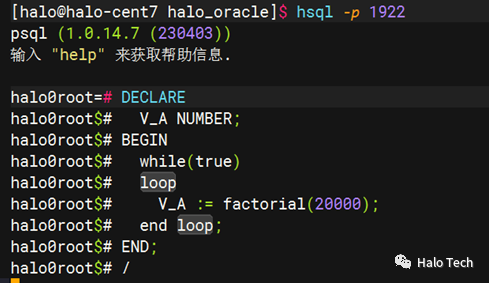
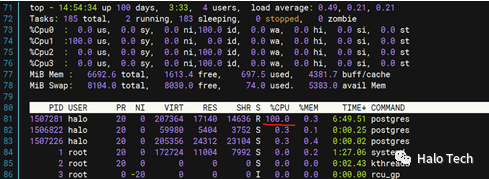
Check CPU resource usage using the top command
3) Use the command to limit CPU resources
pg_pcpu_limit -p <process_PID> -l <usage_percentage>
pg_pcpu_limit -p 1507281 -l 40
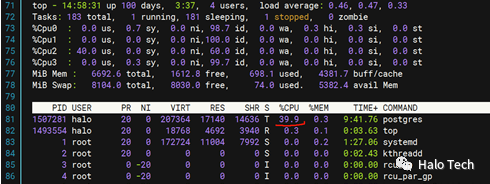
4) Check CPU resource usage using the top command
2. Limiting User Connections
Create a user and set limits.
create user test with password 'halo';Limit user connections.
alter user test connection limit 2;Connect to a third session simultaneously using the test user; the session connection will fail with an error.

3. Idle Session Timeout Duration
idle_session_timeout
When a session connection has been idle (no activity) for a long time, the session will be released, freeing up cache.
idle_session_timeout: default value is 0, meaning disabled; the unit is milliseconds.
alter system set idle_session_timeout=5000;

select pg_reload_conf();

show idle_session_timeout;
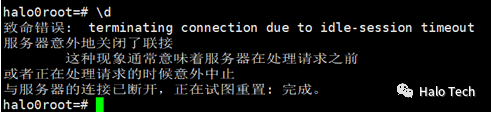
After 5 seconds, entering a command will require reconnection.